

Most risk registers are where good intentions go to die. Someone builds a beautiful spreadsheet during project kickoff, colors the cells red-amber-green, presents it in a steering meeting, and then it never gets opened again until the postmortem — when everyone points at it and says "yeah, we knew about that one."
The problem isn't that teams can't identify risk. Any project manager can list twenty things that might go wrong in fifteen minutes. The real problem is that a list of risks has no connection to what your team actually does day-to-day. It sits in a separate document, disconnected from your delivery workflow, your dashboards, your escalation paths. A museum exhibit, not an operating system.
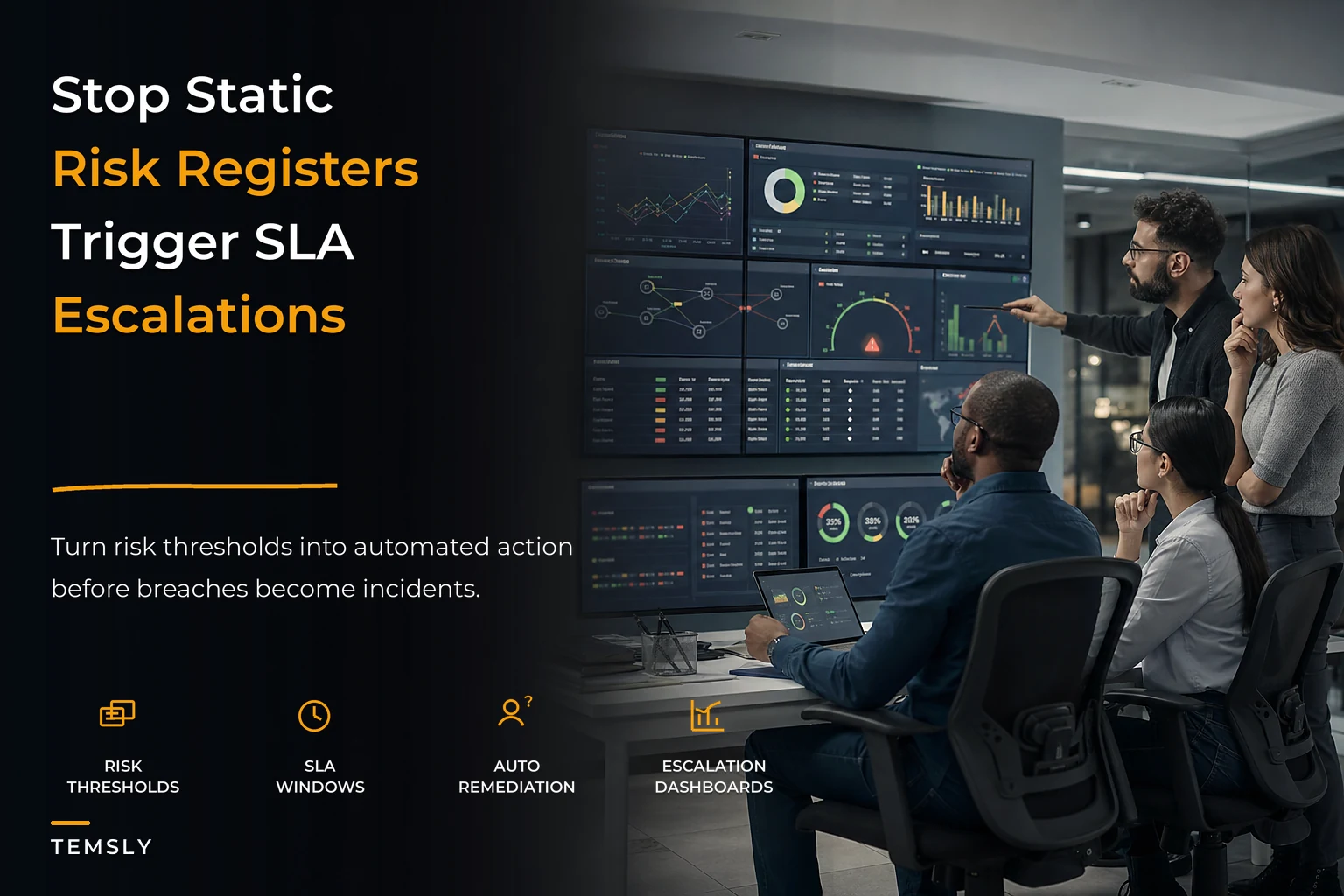
What separates teams that get blindsided from teams that don't isn't better foresight. It's that the second group has wired their risks into concrete triggers, tied those triggers to SLA tiers, and defined exactly what happens when a threshold gets crossed. That's what risk management tied to SLAs actually means in practice, and it's a completely different animal from the register everyone thinks they're already doing.
Why static registers fail the same way everywhere
The failure pattern is consistent. A risk register describes a state of concern — "vendor delivery may slip," "key engineer might leave," "API dependency could break." But concerns aren't operational. Nobody can act on "may slip." You can only act on something measurable that has crossed a line.
The gap in plain terms: your register says "risk: dependency delays." Fine. But delayed by how much? Measured against what? Detected by whom? And when it hits that point — who gets pinged, how fast, and what are they supposed to do? A traditional register answers none of that. It stops at naming the fear.
In real operations this plays out predictably. The risk was real, it materialized slowly over three or four weeks, and there were signals the whole time. But because nothing was watching a specific number against a specific threshold, those signals stayed invisible until the slip was undeniable. By then you're not managing risk — you're managing damage.
The other thing that breaks: ownership evaporates. A register might have an "owner" column, but owning a risk is pretty much meaningless. What does it mean to own "team burnout might increase"? Nothing actionable. What people can actually own is a threshold and a response — "if PR review time exceeds 48 hours for three consecutive days, I get notified and I rebalance reviewers." That's ownable. That's a job. The register version is just a name next to a worry.
The three layers you're actually missing
Layer 1 — Taxonomy. The categories of risk that matter to your delivery. Dependency, capacity, quality, scope, external/vendor, people, compliance. Most teams stop here. This is the list.
Eliminate team chaos and missed deadlines.
Temsly helps you assign, track & complete projects efficiently with full visibility.
- Centralized task management
- Real-time team communication
- Resource and deadline tracking
No credit card required
Layer 2 — Trigger thresholds. The measurable signal and the specific number that says "this risk is now real, not hypothetical." This is where you convert vague concern into an observable condition. "Sprint scope grew more than 20% mid-sprint." "Test failure rate crossed 8%." "A single specialist is booked past 90% for two weeks straight."
Layer 3 — Remediation and escalation tied to SLA tiers. What happens when the threshold trips, and how fast, depending on severity. This is the part that turns detection into response.
The reason this matters is coordination at scale. When you're a team of six, you can hold risks in your head and react informally. Somebody notices the vendor is quiet and pings them. But that informal sensing doesn't survive growth. Add three teams and a couple of shared dependencies, and the person who would've "just noticed" is no longer in the room where the signal appears. The signal now lives in a dashboard nobody's watching, or a Slack channel that's 400 messages deep.
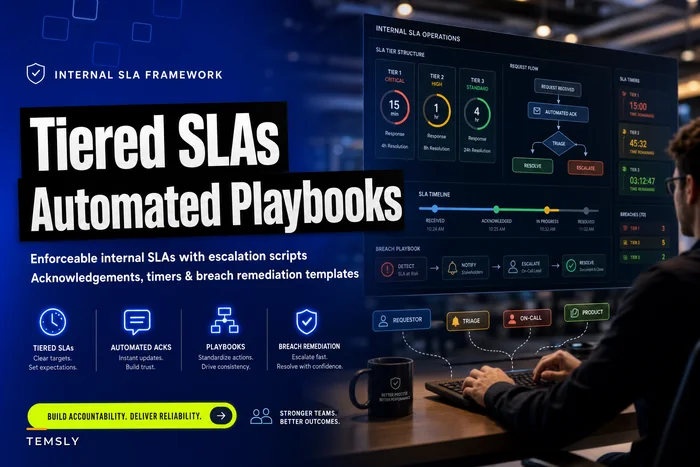
Tying triggers to SLA tiers replaces the informal human sensor with a system that actually scales. It's the same logic that makes an internal SLA framework for business requests work — you define in advance what response speed a given severity deserves, so nobody has to negotiate urgency in the middle of a fire.
Mapping a risk to a concrete trigger
This is where most teams get stuck. They can name the risk but freeze when asked to make it measurable.
-
Name the observable signal. Not "dependency might slip" but "the upstream team's committed deliverable date." That's a real thing with a real date attached.
-
Define the measurement. Days of variance between committed date and current forecast, checked weekly.
-
Set the threshold tiers. Green
on track or ahead. Amber: 1–5 days of slip. Red: 6+ days, or any slip that pushes past your integration window.
-
Attach the response per tier. Amber triggers a notification to the dependency owner and a note in the next planning sync. Red triggers an escalation to both team leads within 24 hours plus a re-plan session.
-
Assign the trigger owner. The person whose job it is to act when it trips — not the person who "owns the risk," the person who owns the response.
The fuzzy concern became a number, a cadence, and a defined action at each severity. Now it can be watched, measured, and automated. A person doesn't have to remember to check. The threshold gets checked continuously, and the response fires when it's breached.
Calibrate thresholds so a trip means attention is genuinely required; constantly-firing amber thresholds create alert fatigue.
The mistake people make here is setting thresholds too tight. If your amber trigger fires every other day, people learn to ignore it — and you've recreated the exact alert fatigue that makes monitoring useless. Thresholds should be calibrated so a trip genuinely means "this needs attention now," not "this is a normal Tuesday."
What SLA tiers do to your response
The SLA tier connects a triggered risk to a promised response speed. Without it, "escalate" is a mood, not a commitment. With it, escalation has a clock.
| Risk severity | Trigger example | Response SLA | Default action |
|---|---|---|---|
| Low | Scope grew 5–10% mid-sprint | Log within 48h | Note in retro, no escalation |
| Medium | Test failure rate 8–12% for 2 days | Owner notified within 8h | Owner investigates, reports at next standup |
| High | Key dependency slips 6+ days | Both leads notified within 4h | Re-plan session scheduled same day |
| Critical | Release-blocking defect in prod | Escalation within 30 min | Emergency triage, comms to stakeholders |
The value isn't the table itself — it's that severity now dictates speed. A critical trigger that only gets a 48-hour response is a broken system. A low trigger that pages three people at 2am is a system people will disable. Matching the SLA to the severity is what keeps the whole thing credible.
This is also where the escalation ladder does its real work. When a medium-severity trigger doesn't get acknowledged within its SLA window, it should auto-promote — the response promise itself becomes a trigger. That's the pattern behind why governance structures like escalation ladders and gates produce predictable delivery: the system doesn't rely on someone remembering to chase. Non-response is a condition that triggers the next action.
Wiring triggers into dashboards you actually watch
A trigger that lives in a document is still dead. The whole point is that the threshold gets checked against live data, continuously, without a human remembering to look.
Your risk triggers need to live where your operational metrics already live — the same dashboards you use to track delivery health. If you've built out leading indicators for your team, your risk thresholds should sit right alongside them, because most risk signals are leading indicators. A rising PR review time is both a delivery metric and a capacity-risk trigger. There's no reason to track those separately. The work of mapping outcomes to leading indicators and actionable dashboard triggers is the same muscle you use here — you're just adding a severity layer and a response SLA on top.
Delivery data → Dashboard metrics → Threshold evaluation → Severity tier assigned → Action fired within SLA window → Acknowledgment check → Auto-promote if no response → Trip and response logged for calibration review
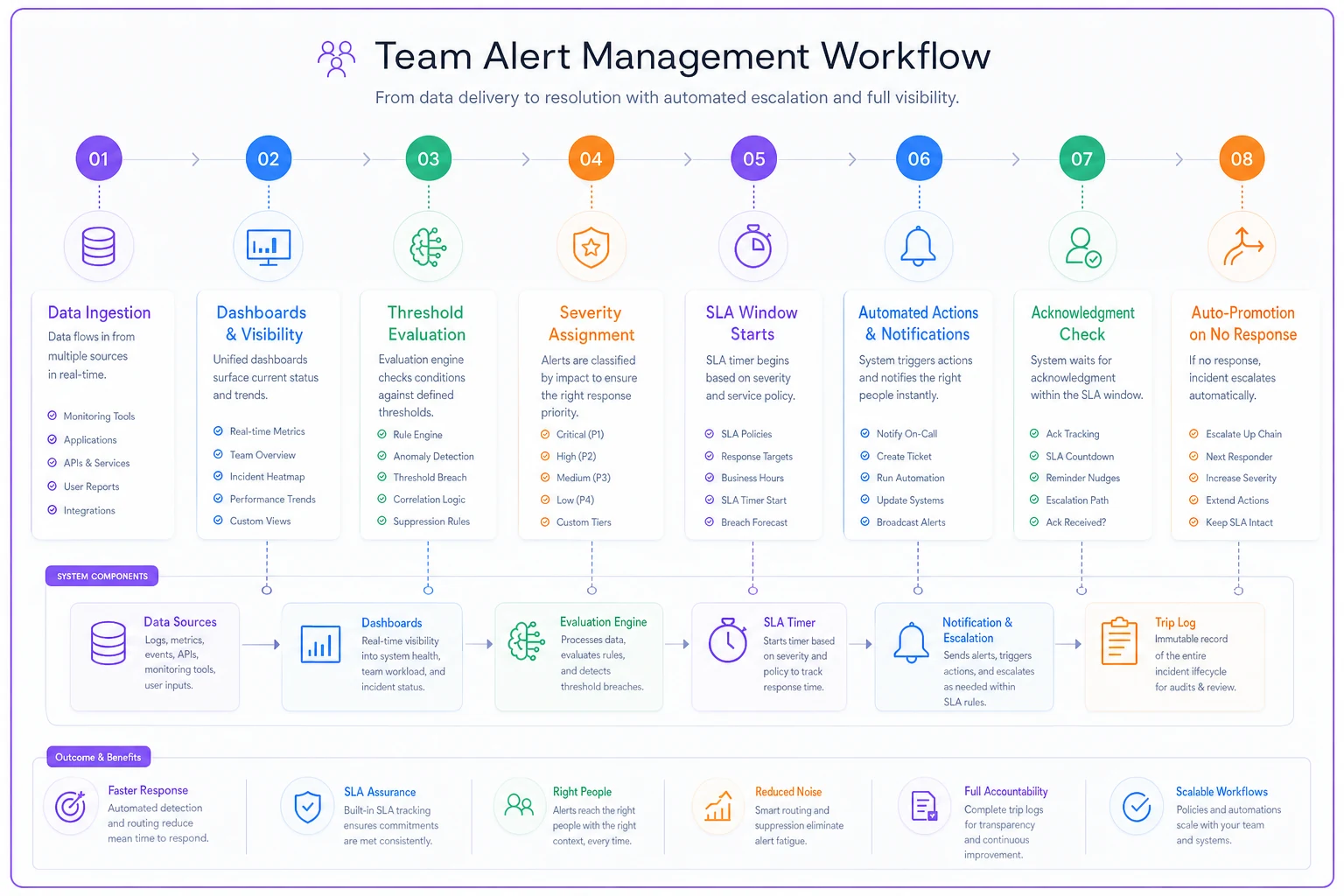
Your delivery data flows into a dashboard. Each metric has thresholds attached. When a metric crosses a threshold, the system evaluates severity. Based on the tier, it fires the matching action — a notification, a channel post, a created ticket, an escalation to a named person — within the SLA window. If the action isn't acknowledged in time, it auto-promotes to the next tier.
That last part matters more than people expect. The log of trips versus false alarms is how you tune the system. If a trigger fired eleven times and ten were noise, the threshold is wrong. If a real incident happened and no trigger fired, you're missing a signal. The system only gets smarter if you review its own performance.
This is where automation genuinely earns its keep. Continuously checking dozens of thresholds against live metrics, firing the right notification to the right owner within a defined window, auto-escalating on non-response — that's tedious, error-prone work for a human and reliable work for a workflow platform. The value isn't that software does risk management for you. It's that the boring, constant vigilance — the part humans are genuinely bad at — gets handled consistently, so your people spend their attention on judgment calls instead of staring at dashboards.
A real scenario
A mid-sized product team — around 22 people across three squads — kept getting burned by the same class of problem: shared platform dependencies slipping without anyone raising a flag until integration week. Over roughly two quarters they'd had four releases slip, each by about a week to ten days, mostly traced back to an upstream dependency that had been quietly drifting.
They had a risk register. The dependency risk was on it. It just sat there.
What they changed was relatively small. They picked their top six recurring risk types, mapped each to a single measurable trigger, and set amber/red thresholds with response SLAs. Dependency drift got a weekly variance check with a red trigger at 6+ days that auto-notified both squad leads within 4 hours. Capacity risk got a trigger when any specialist crossed 90% booked for two consecutive weeks. Quality got a test-failure-rate threshold.
They didn't build anything elaborate. The triggers ran against dashboards they already had.
The change over the next quarter wasn't dramatic-sounding but it was real: two dependency slips got caught in the amber zone — 2 and 3 days out — early enough to re-plan without blowing the release. Instead of four slipped releases, they had one, and that one was an external vendor issue outside their triggers. The leads later said the biggest shift wasn't the tooling. It was that "the dependency might slip" had become "the dependency is 3 days behind and both of us got pinged Tuesday morning." Concrete. Timed. Owned.
When this actually makes sense
This approach pays off when you have enough concurrent work and enough dependencies that informal human sensing has stopped working. Three people in one room don't need it — you'll notice. The trigger-and-SLA system earns its place when coordination has outgrown line-of-sight.
It also makes sense when the same risks keep recurring. If your postmortems keep surfacing the same three categories, those are prime candidates for triggers. You already know what to watch — you just haven't wired it to fire.
When it's a bad idea
Don't do this if your metrics are unreliable. Triggers built on bad data produce false alarms, and false alarms train people to ignore the system — which is worse than having no system, because now you have a false sense of coverage.
Don't build fifty triggers on day one either. Teams that try to instrument every conceivable risk end up with a wall of alerts nobody trusts. Start with the four to six risks that have actually hurt you, get the thresholds calibrated, and expand only once those are trusted.
And don't use this to replace judgment. A trigger tells you a threshold was crossed. It doesn't tell you why, or what the right response is beyond the default. The system routes attention; humans still decide.
Who should NOT bother
If your delivery risks are genuinely one-off and rarely repeat, the overhead of building triggers won't pay back — lightweight, case-by-case attention is probably the right call. Same if you don't yet have basic delivery metrics in place; you need something to threshold against before thresholds make sense.
Build the measurement layer first, then add risk triggers on top. Trying to do both at once usually means doing neither well. It sounds obvious, but most teams skip straight to trigger-building and wonder why the alerts feel meaningless two months later.
If your organization is so small or so early-stage that coordination still happens by sight and conversation, focus on building repeatable metrics before investing in SLA-driven triggers.
Bringing it together
The shift is small in concept and large in effect. A static register asks "what might go wrong?" A live system asks "what's the measurable signal, at what number does it matter, and what happens when it's crossed?" The first produces a document. The second produces a response.
Every risk worth tracking can be expressed as a taxonomy category, a measurable trigger, a severity threshold, and an SLA-timed action. Once you make that mapping, the register stops being a museum piece and starts being part of how work actually flows. The risks you already know about stop surprising you — not because you got better at predicting, but because you finally built something that was actually watching.
Ready to elevate your team's performance?
Join 2,000+ teams using Temsly to streamline workflows, boost productivity, and deliver projects on time.