
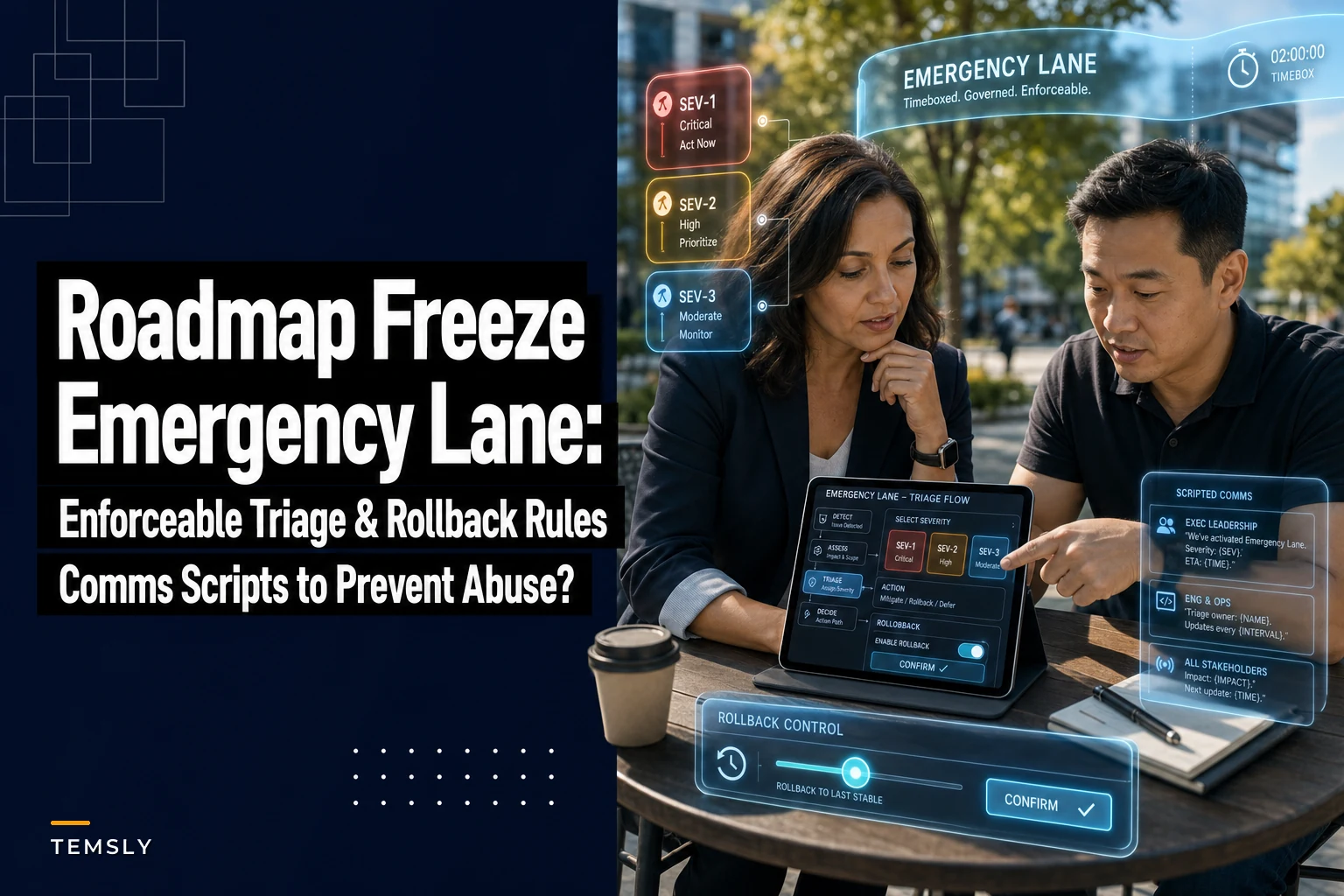

Most freeze policies fall apart in the first 20 minutes of a real incident. Someone posts "prod is down" in a channel, three engineers pile on, a director starts DMing the PM, and the carefully written roadmap freeze process turns into whoever-yells-loudest driving the next four hours. The doc said the right things. Nobody followed it, because the doc never actually defined what an emergency is versus what a loud stakeholder wants.
That gap—between a genuine emergency and an urgent-feeling request—is where roadmaps quietly die. Not from one big event, but from a steady leak of "we had to jump on this" work that never met any real bar.
This is a narrow post. It's about one thing: writing rules crisp enough that anyone on the team can look at an incoming request and know, in under a minute, whether it breaks the freeze or waits in line. Then the change process, the rollback rules, and the exact words you say when you tell a VP "no, that waits."
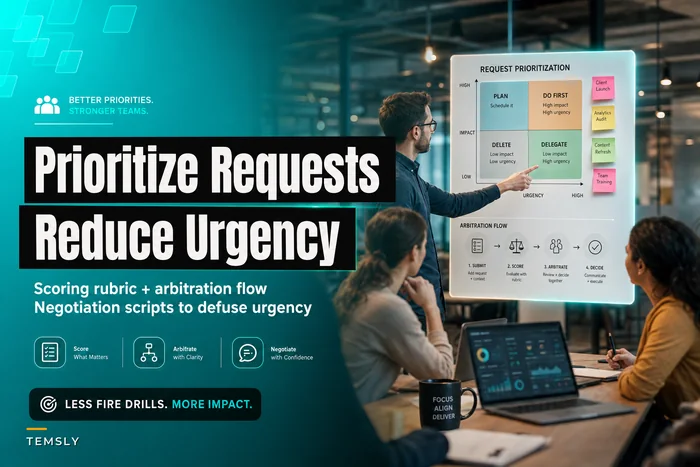
If you want the broader triage philosophy, we've covered protecting planned work from ad-hoc requests and how to score competing "urgent" requests elsewhere. This post assumes you already buy the idea. Now we're getting prescriptive.
The distinction that actually matters: harm-in-progress vs. harm-anticipated
The word "urgent" is useless as a trigger because everyone means something different by it. A better line: is harm happening right now, or is someone worried harm might happen later?
An emergency is harm-in-progress. Money is leaking, data is exposed, customers are locked out, a legal deadline is hours away. The clock is already running and every hour you wait makes it worse.
An urgent ask is harm-anticipated, or convenience-driven. "The client demo is Thursday and this looks bad." "Sales promised this to close the deal." "The new logo is wrong on the pricing page." All real. None of them are on fire. They feel urgent because someone with authority is anxious, and anxiety travels fast through Slack.
Here's the part people miss: urgency of feeling and severity of impact are not the same axis. A misaligned button on a settings page can generate a very loud, very senior complaint and cause almost zero real damage. A slow memory leak that'll take down billing in six hours generates no complaints at all until it's a full outage. If your triage listens to volume instead of impact, you'll firefight the wrong things constantly.
So the first rule is boring and non-negotiable: you classify by defined criteria, not by who is asking.
The emergency criteria, written so they can't be argued with
Vague criteria get gamed. "Significant customer impact" means whatever the person invoking it needs it to mean. You want thresholds a skeptical engineer would agree with at 2am.
Eliminate team chaos and missed deadlines.
Temsly helps you assign, track & complete projects efficiently with full visibility.
- Centralized task management
- Real-time team communication
- Resource and deadline tracking
No credit card required
Here's the structure that holds. An incoming request breaks the freeze only if it meets at least one hard criterion below. No criterion met means it goes in the normal queue, full stop.
| Category | Emergency (breaks freeze) | Urgent ask (queues normally) |
|---|---|---|
| Revenue | Checkout/billing broken, payments failing, active money loss | Deal at risk, forecast concern, pricing display wrong |
| Access | Customers can't log in or core function fully down | Feature degraded but usable, slow performance |
| Data / Security | Active breach, data exposure, credential leak | Vulnerability found, not yet exploited, no exposure |
| Legal / Compliance | Hard external deadline <48h, regulatory order | Internal deadline, "we should really do this soon" |
| Safety | Physical safety, incorrect medical/financial output live | Reputational risk, embarrassing but harmless |
The right column is the trap. Every item there is legitimate work that deserves prioritization—it just doesn't justify tearing up a freeze and skipping review. The whole point is that "important" and "emergency" get different lanes.
One pattern worth naming: the "compound urgency" move. Someone can't hit a single hard criterion, so they stack three soft ones—"it's a big client AND the demo is Thursday AND sales already promised." Three soft reasons don't add up to one emergency. Write that rule down explicitly, because people will absolutely try the math.
The severity tiers underneath the emergency lane
-
Sev-1 — Full outage, active data loss, or safety issue. All hands, page on-call immediately, incident commander assigned within 15 minutes.
-
Sev-2 — Major function broken for a large segment, workaround exists but painful. On-call engaged, fix inside the same business day.
-
Sev-3 — Real but contained harm, small user segment, or degradation trending toward Sev-2. Handled by the on-call, doesn't necessarily wake anyone up.
Sev-3 is where most misclassification lives. Teams either inflate it into an all-hands panic or dismiss something that's quietly climbing toward a real incident. The tier isn't just paperwork—it decides who gets woken up and how much of the roadmap you're allowed to interrupt.
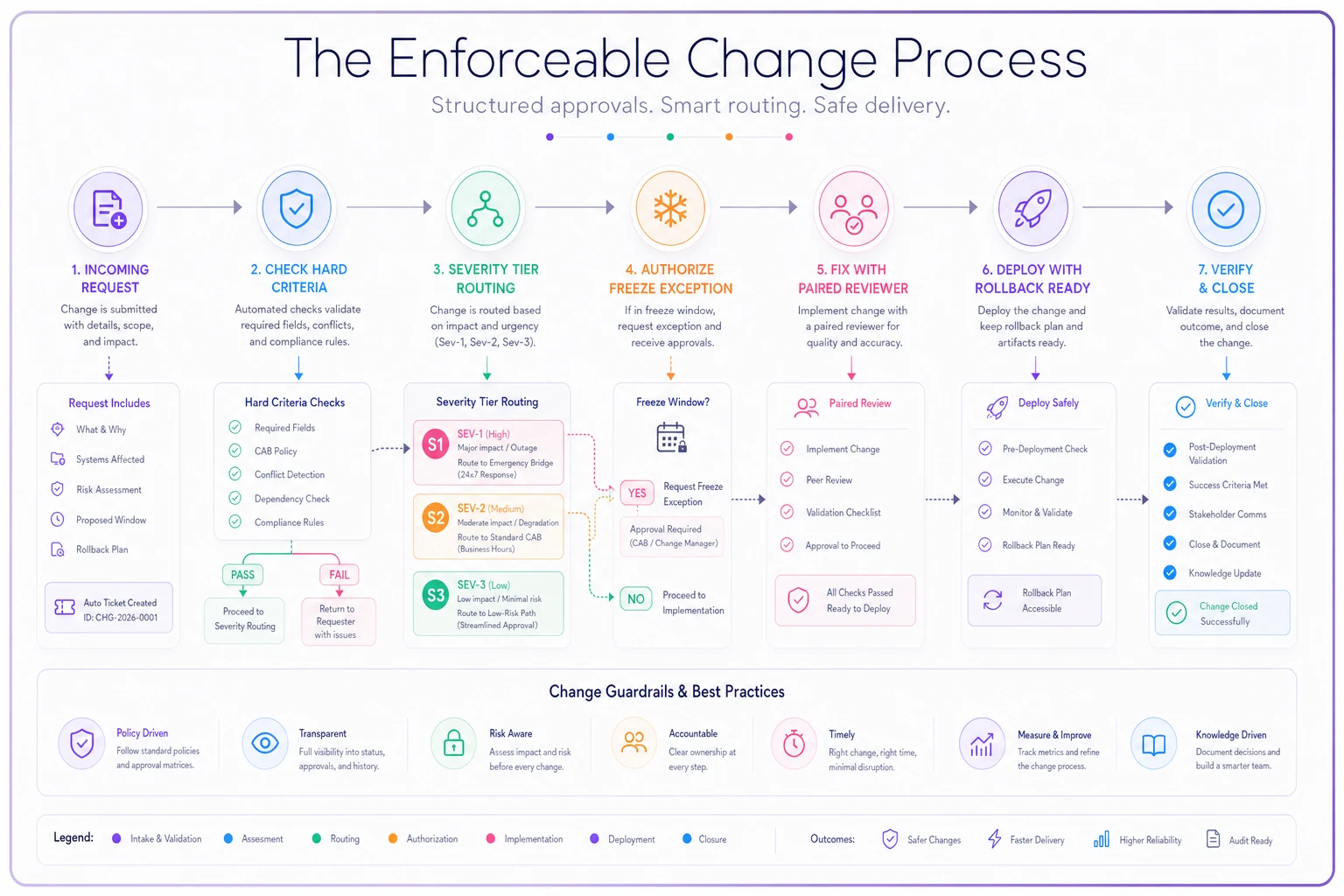
The enforceable change process during a freeze
A freeze that only says "don't ship" is worthless the moment a real emergency lands, because now you have to ship and there's no defined path. The freeze has to include its own escape hatch, and that hatch has to be narrow.
-
Declare. Whoever spots the issue posts it in the incident channel using the fixed template (below). Declaring is not the same as being right—declaring just starts the clock and gets eyes on it.
-
Classify. The on-call or incident commander checks it against the hard criteria. If it doesn't meet one, it's downgraded to the queue immediately and the requester is told why. This step is where the freeze either holds or leaks—the classifier must be someone empowered to say no to seniority.
-
Authorize the exception. A named emergency approver (on-call lead, eng manager on rotation—one person, not a committee) grants the freeze exception in writing. One line: "Freeze exception granted for INC-xxx, scope limited to [X]." Scope-limiting matters. People try to smuggle unrelated fixes into an emergency deploy because "we're already shipping anyway."
-
Fix with a paired reviewer. Even under freeze, emergency changes get a second set of eyes. The reviewer isn't there to slow you down—they're there to catch the thing you can't see because you've been staring at logs for 40 minutes.
-
Deploy with rollback ready. No emergency deploy goes out unless the person shipping can state, out loud, exactly how they'd undo it. If they can't answer "how do we roll this back," it's not ready.
-
Verify and close. Confirm the harm actually stopped—not that the deploy succeeded, that the problem is gone. Then log the exception for the postmortem.
The workflow below summarizes the enforceable change process and decision points.
Give that person air cover in advance, in writing, or they'll fold under the first hard push.
The single most common failure here is skipping step 2 for anything a senior person declares. If a VP says "emergency," people classify it as an emergency out of reflex. The classifier role exists specifically to break that reflex. Give that person air cover in advance, in writing, or they'll fold under the first hard push.
Rollback rules: decide before you're panicking
Rollback decisions made mid-incident are almost always wrong. Everyone's tired, invested in the fix they just wrote, and reluctant to admit it didn't work. So you pre-commit to the rules while calm.
Set a rollback trigger before you deploy. Something concrete: "If error rate isn't back under X within 15 minutes of deploy, we roll back and regroup." Writing the trigger down beforehand removes the in-the-moment temptation to give a broken fix "just five more minutes" six times in a row.
Good rollback rules to standardize:
-
Every emergency change must be independently reversible. If a fix can't be rolled back on its own—because it's tangled with a migration or a data change—that's a design problem you flag before deploying, not a surprise you discover after.
-
Forward-fix vs. roll-back is a decision, not a default. Rolling back is usually right for code deploys. It's often wrong for data corruption or migrations, where rolling back can make things worse. Name which category you're in first.
-
The person who wrote the fix does not get sole say on whether to roll it back. They're the most biased person in the room. The incident commander or reviewer makes the call.
-
A rollback is a success, not a failure. If your culture treats rolling back as embarrassing, people will stall on broken fixes to avoid the shame. Kill that quietly and on purpose.
A realistic pattern: a team pushes an emergency fix for a checkout bug, error rates drop but don't fully clear, and instead of rolling back at the 15-minute mark they keep patching the patch. Ninety minutes later they're three deploys deep, nobody's sure what state prod is in, and the original bug is now the smallest of their problems. The rollback trigger existed to prevent exactly this. They just didn't honor it.
The comms scripts (this is what actually holds the line)
Rules don't enforce themselves. The moment a senior person pushes, whoever's holding the freeze needs words ready—because "um, I think our policy says..." loses every time against a confident VP. Pre-written scripts turn an awkward personal confrontation into "just following the process," which is a much easier position to hold.
When you're declining to break the freeze:
> "Got it—flagging this now. It doesn't meet the emergency criteria [no active outage / no money loss / no data exposure], so it's going into the priority queue as the next item rather than breaking the freeze. Expected pickup: [timeframe]. If something's changed and there's active harm I'm not seeing, tell me what it is and I'll re-classify."
When a senior person overrides you anyway:
> "Understood—you're asking me to override the freeze on this. I'll do it, and I'm logging it as a leadership-authorized exception under your name for the postmortem. Confirming scope is limited to [X]."
When you declare a real emergency (the intake template):
> **INC-[number] > What's broken: [one sentence, observable] > Impact right now: [who/what is affected, how many] > Criterion met: [which hard criterion] > Severity: [Sev-1/2/3] > Rollback plan: [how we undo this]
When you close it out (the all-clear):
> "INC-[number] resolved. Harm stopped at [time], verified by [check]. Freeze exception closed. Postmortem scheduled [date]. Back to normal freeze rules."
Explicitly reopening the freeze matters. Otherwise it quietly stays "lifted" in people's heads and unrelated work starts sneaking out under the cover of the incident.
When this whole system makes sense—and when it doesn't
When it's worth it: You have overlapping stakeholders with real authority, a roadmap that keeps getting derailed by soft-urgent requests, or a recent incident where a fake emergency ate a sprint. Teams past roughly 15–20 people almost always need written criteria because informal judgment stops scaling—too many people, too many definitions of "urgent."
When it's overkill: A five-person team that ships continuously and knows every request personally doesn't need severity tiers and named approvers. Bolting this on early just adds ceremony to a group that could've handled it with a two-minute conversation. Wait until misclassification is actually costing you.
Who should not run this rigidly: Teams in genuinely volatile phases—an early product with daily fires, a migration where "emergency" is the baseline state. If everything is Sev-1, tiers become theater. Stabilize the environment first, then impose the freeze discipline.
A realistic before/after
A mid-sized B2B SaaS team—about 22 engineers across four squads—kept blowing through their end-of-quarter feature freeze. Nearly every quarter, three to five "emergencies" would break it; in the postmortems, most turned out to be deal-pressure or exec-visibility requests, not actual harm-in-progress. The freeze existed on paper and got overridden by whoever escalated hardest.
They did two things. They wrote the hard criteria table so classification stopped being a debate, and they gave one on-call lead per week explicit authority to decline exceptions—with the leadership-authorized-override script so declining wasn't a career risk. Nothing fancy. No tooling.
The next freeze, only one of the incoming requests flagged as urgent actually met a hard criterion and broke the freeze. The rest queued and shipped the following week without incident—and, notably, without the world ending, which quietly proved they were never emergencies to begin with. The roadmap items that had historically slipped actually landed on time. The change wasn't the criteria themselves; it was that someone was finally allowed to say no with words that held.
The one thing to get right
If you take only one piece of this: separate the classification from the person doing the asking, and give the classifier the words to hold the line. Every other part—the tiers, the rollback triggers, the templates—supports that single move.
A freeze isn't a document. It's someone empowered to look a senior stakeholder in the eye and say "this waits," with a process behind them that makes it defensible instead of personal. Write the criteria before your next freeze, not during your next incident—the middle of a real emergency is the worst possible time to be figuring out whether you're actually in one.
A freeze isn't a document. It's someone empowered to look a senior stakeholder in the eye and say "this waits," with a process behind them that makes it defensible instead of personal. Write the criteria before your next freeze, not during your next incident—the middle of a real emergency is the worst possible time to be figuring out whether you're actually in one.
Ready to elevate your team's performance?
Join 2,000+ teams using Temsly to streamline workflows, boost productivity, and deliver projects on time.