
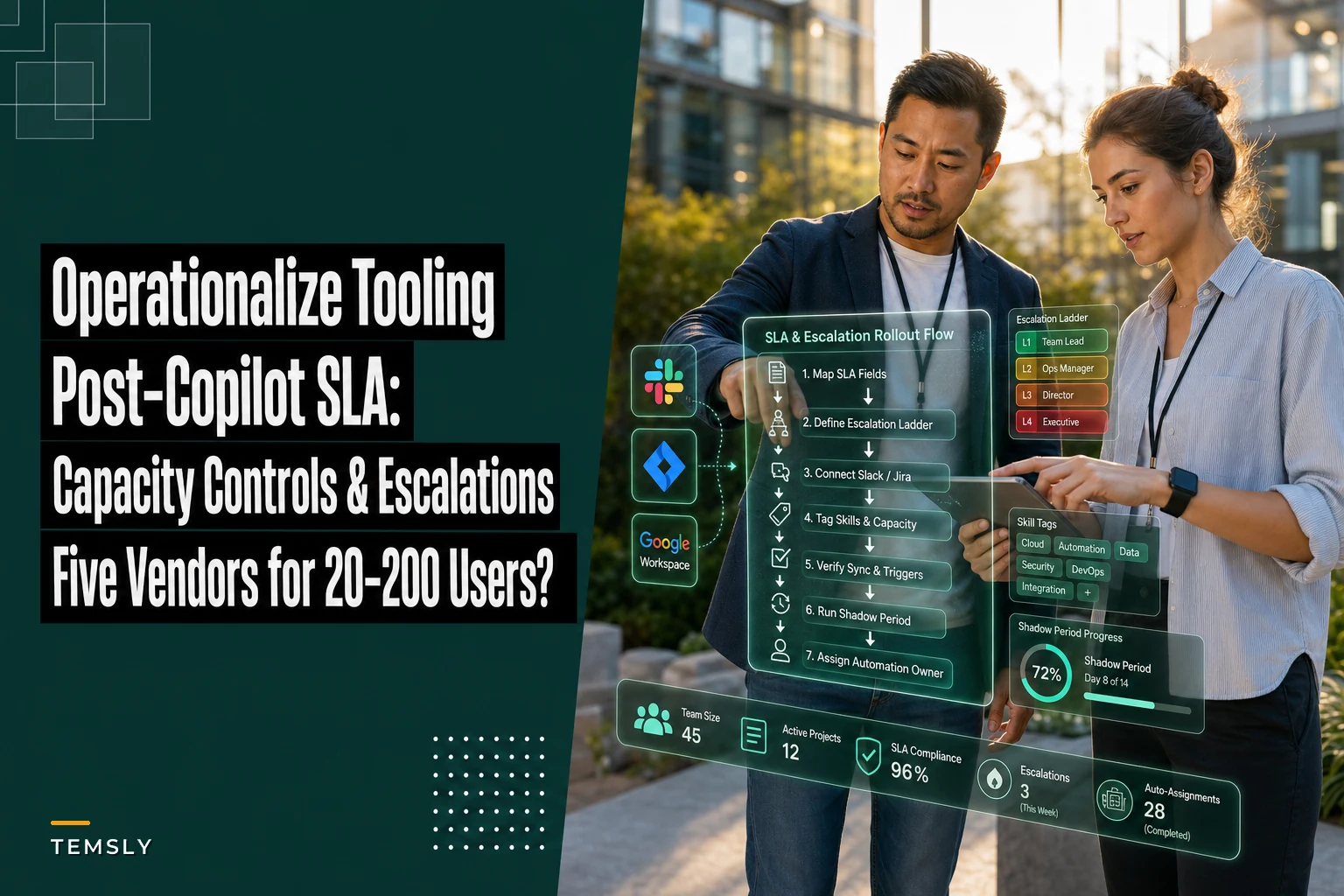

Most teams who sat down to update their governance after the Copilot wave ran into the same wall: the policy was written, the SLA tiers were agreed on, the capacity model lived in a spreadsheet — and then nothing enforced any of it. A breach happened on a Thursday and nobody found out until the following Monday standup. That gap between having rules and having software that acts on the rules is exactly what this shortlist is about.
If you already worked through the practical checklist for updating SLAs, capacity models and governance after Microsoft's August Copilot rollout, this is the procurement companion. The checklist tells you what controls you need. This guide covers which tools can actually carry those controls day-to-day for a team in the 20–200 user range, with Jira, Slack and Google Workspace as the non-negotiable integration points.
The scope here is deliberately narrow. This isn't a "best project management tool" roundup. It's five vendors evaluated against four specific jobs: AI-assisted task assignment, resource capacity modelling, real-time communication tie-ins, and automated SLA breach escalation. If a tool is great at Gantt charts but can't ping an on-call owner when an acknowledgement SLA slips, it didn't make the cut.
What "good" actually looks like for this band
Before getting into vendors, worth being honest about what matters at 20–200 users, because it's genuinely different from both the 5-person startup and the 2,000-person enterprise.
-
AI-driven task assignment — the system suggests or auto-routes work based on skills, current load, and historical throughput, not just round-robin.
-
Resource capacity modelling — you can see who's over-allocated before you commit, with some forward projection rather than a static snapshot.
-
Real-time communication — breaches, assignments and acknowledgements flow into Slack (and ideally Google Chat) where people actually are, not buried in an app nobody opens.
-
Automated SLA breach escalation — when an acknowledgement or resolution window slips, the tool escalates up a defined ladder automatically.
The vendor shortlist below is ranked against those four jobs and nothing else.
The comparison matrix
Pricing below is list-rate guidance for annual billing before negotiation. Every one of these vendors will discount at the top of the band — more on that further down.
Eliminate team chaos and missed deadlines.
Temsly helps you assign, track & complete projects efficiently with full visibility.
- Centralized task management
- Real-time team communication
- Resource and deadline tracking
No credit card required
| Vendor | AI task assignment | Capacity modelling | Slack / Google depth | Jira integration | SLA auto-escalation | Rough price (20–200 band) |
|---|---|---|---|---|---|---|
| Asana (Advanced + AI) | Strong (rules + AI suggestions) | Good (Workload) | Deep Slack, solid Google | Native, two-way | Via rules + automation | ~$25–$31/user/mo |
| Monday.com (Pro/Enterprise) | Moderate (AI assist add-on) | Good (Workload) | Deep Slack, good Google | App-based, reliable | Native automations | ~$12–$20/user/mo |
| ClickUp (Business+) | Moderate–Strong (ClickUp Brain) | Strong (Workload + custom) | Good Slack, decent Google | Native, two-way | Native automations | ~$12–$19/user/mo |
| Wrike (Business/Pro) | Strong (Work Intelligence) | Strong (resource mgmt) | Good Slack, solid Google | Native, two-way | Native + custom | ~$10–$25/user/mo |
| Smartsheet (Business + Control Center) | Moderate | Strong (Resource Mgmt) | Good Slack, strong Google | Native connector | Via automation + alerts | ~$25–$32/user/mo |
The comparison matrix above is a quick snapshot — confirm current integrations and pricing with each vendor during procurement.
Per-vendor breakdown
1. Asana — best when Slack is your nervous system
Asana's strength for this use case is how cleanly its Rules engine maps to an SLA ladder. You set a trigger — status unchanged for X hours, due date passed, custom field flagged as "breached" — and the rule reassigns, comments, and posts to a Slack channel. The newer AI features add smart assignee suggestions and workload-aware routing, which is genuinely useful once you've tagged people with skills.
Pros
-
Slack integration is the deepest of the five — rich notifications, slash commands, and the ability to create and update tasks without leaving a channel.
-
Workload view is clean and fast to read; capacity conversations in sprint planning become a 10-minute thing instead of a spreadsheet fight.
-
Google Workspace integration (Drive attachments, Calendar sync, SSO) is solid and reliable.
Cons
-
Pricing climbs fast. The AI and advanced workload features sit in higher tiers, so for a 150-person team you're realistically at the top of the range.
-
Resource forecasting — projecting capacity weeks out — is weaker than Wrike or Smartsheet.
Best fit: teams already living in Slack who want escalation-to-channel to feel native rather than bolted on.
2. Monday.com — best value when you need to configure it yourself
Monday is the pragmatic middle choice. Its automation recipes handle breach escalation well — "when status is X for N days, notify person and change owner" is a two-minute build. The AI assist is more of an add-on than a core engine, so task assignment leans on your rules rather than true skill-based routing.
Pros
-
Strong price-to-capability ratio; often the cheapest way to get real automations at this size.
-
Automations are approachable enough that a non-technical team lead can maintain them, which matters when you don't have a platform team.
-
Good Slack and Google integrations through its apps marketplace.
Cons
-
Capacity modelling works but can feel bolted on; the Workload widget needs discipline to stay accurate.
-
Heavy automation use can hit board performance and automation-action limits on lower tiers — worth checking the per-plan caps before you commit.
Best fit: budget-conscious teams comfortable building their own escalation logic.
3. ClickUp — best when capacity detail matters and budget is tight
ClickUp packs an unusual amount into the Business tier. Its Workload and custom capacity settings let you model in hours, points, or tasks, and ClickUp Brain adds AI summarization and some assignment help. For teams that want granular capacity visibility without jumping to enterprise pricing, it's genuinely compelling.
Pros
-
Very strong capacity modelling flexibility for the price.
-
Native two-way Jira sync is dependable — status and comments flow both directions.
-
Automations cover SLA escalation patterns well.
Cons
-
The sheer number of features creates a real adoption tax; rollouts drag when teams try to use everything at once.
-
Slack integration is good but not as polished as Asana's; some actions still push you back into the app.
Best fit: detail-oriented teams that want deep capacity control at a lower per-seat cost.
4. Wrike — best when resource forecasting is the priority
Wrike was built around resource management, and it shows. Its forward-looking capacity and workload tools are the strongest of the five for actually projecting over-allocation rather than just reporting it after the fact. Work Intelligence handles risk prediction and some assignment assistance.
Pros
-
Best true resource forecasting of the five — you can see a crunch three weeks out, which is when it's still possible to do something about it.
-
Solid Jira, Slack and Google integrations across the board.
-
Custom request forms plus automation make intake-to-assignment clean.
Cons
-
The interface is denser; onboarding a 100-person team needs a real enablement plan, not just a few Loom videos.
-
Pricing tiers can get confusing — the feature you need is sometimes one tier up from where you expected.
Best fit: delivery orgs where capacity forecasting is the central pain.
5. Smartsheet — best when Google Workspace is your home base and you need structure
Smartsheet feels like a spreadsheet that grew real automation and governance. Paired with Control Center it supports standardized, auditable workflows — which is why it shows up in more regulated or process-heavy teams. Its Google Workspace integration is the strongest of the group.
Pros
-
Deep Google Workspace tie-in; teams that live in Sheets and Drive adapt quickly.
-
Resource Management (the former 10,000ft product) is mature and genuinely good.
-
Strong audit trail and controls for teams with compliance pressure.
Cons
-
AI-driven assignment is the weakest here; it leans on structured automation rather than smart routing.
-
Can get expensive once you add Resource Management and Control Center to the base plan.
Best fit: Google-centric, process-heavy teams that value auditability over AI-driven routing.
A realistic cost example
Say you're a 120-person product and operations group. Here's how two paths actually shake out before negotiation, on annual billing:
-
Monday Pro-ish path 120 × ~$16/mo ≈ $23k/year, plus maybe a few seats on a higher tier for admins. You build your own escalation recipes.
-
Asana Advanced path 120 × ~$28/mo ≈ $40k/year, but Slack escalation and workload views work with far less configuration.
The $17k gap is real, but so is the hidden cost of configuration time. If building and maintaining automations eats two or three days a month of a senior lead's time, that gap narrows quickly. Sticker price is only part of the math.
Also worth knowing: nearly every vendor here discounts meaningfully above roughly 50 seats on annual contracts. A 10–20% reduction at the 100+ band is pretty normal, more if you're negotiating on an enterprise tier. Don't take list pricing as final.
Implementation checklist
Buying the tool is the easy part. Operationalizing the controls from your governance update is where teams stall. Work through this before you roll out widely:
-
Map your SLA tiers to actual fields — acknowledgement window, resolution window, and breach status need to be real fields the automation can read.
-
Define the escalation ladder explicitly — who gets pinged at first breach, who at second, and after what interval. Vague ladders produce ignored alerts.
-
Connect Slack channels before go-live — decide which channel each escalation posts to. One "#sla-breaches" firehose is a common mistake; route by team instead.
-
Tag people with skills and capacity ceilings — AI assignment and workload views are only as good as this underlying data.
-
Verify Jira two-way sync on a test project — confirm status and comments flow both directions before trusting it in production.
-
Set capacity baselines per person — hours or points per sprint, so over-allocation warnings actually mean something.
-
Run a two-week shadow period — let escalations fire but keep the old process alive, so you catch misconfigured rules before they page someone at 2am.
-
Assign an automation owner — one named person responsible for maintaining rules. Unowned automation rots.
-
Document the rollback — how you turn off a misbehaving rule quickly when something goes sideways.
The shadow period is the step most teams skip and most regret. A badly tuned escalation rule that pages the wrong person three times in a day will kill trust in the whole system faster than any actual outage.
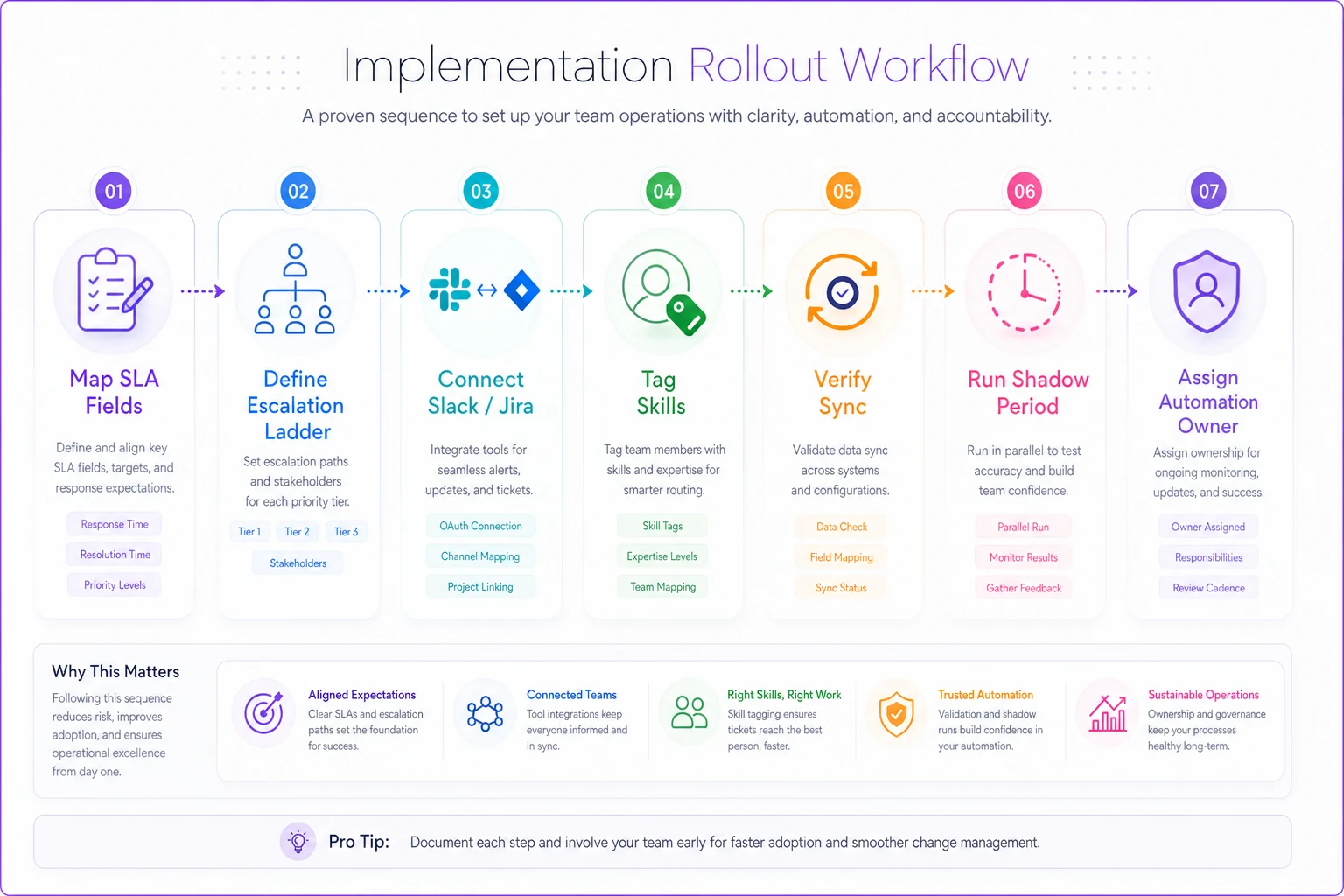
Run the two-week shadow period during a lower-volume cycle to avoid noisy pages.
Work through this before you roll out widely to catch misconfigurations and preserve trust in automated escalations.
Security and compliance notes
A few things worth checking directly rather than assuming when you get to the security review.
SSO and SCIM — all five support SAML SSO on business/enterprise tiers, but SCIM provisioning (auto-deprovisioning when someone leaves) is sometimes gated to the top tier. Confirm this upfront, because manual deprovisioning at 150 users is a real security gap. SOC 2 Type II — all five maintain it; ask for the current report under NDA rather than trusting the trust-page badge. Data residency — if you have EU data residency requirements, Wrike and Smartsheet have clearer options here; verify current region support with their sales team. Slack/Jira token scope — when you connect integrations, review the OAuth scopes. Some grant broader access than you need. Least-privilege applies to integrations too. AI data handling — if you enable AI features, read how prompt and task data is used. Most now offer no-training guarantees on business tiers, but get it in writing for anything sensitive.
None of these are dealbreakers across the board, but they're the questions that tend to surface in a security review after purchase — which is the worst time to find a gap.
When each choice actually makes sense
Go Monday or ClickUp if budget is the binding constraint and you have someone willing to own automation configuration. You'll do more setup work but spend meaningfully less per seat. Go Asana if Slack is genuinely where your team lives and you want escalation to feel native with minimal tuning. Go Wrike if forward capacity forecasting is your actual pain — if the recurring problem is committing to work you didn't have room for. Go Smartsheet if you're Google-first and compliance auditability matters more than AI-driven routing.
One situation where none of this is a good idea yet: if your SLA definitions aren't settled, don't buy tooling to enforce them. Automating a vague policy just produces confident, automated noise. Nail the governance first — the checklist exists for exactly that reason — then come back and let the tool carry it.
Bringing it back to the governance work
The reason this shortlist is narrow is that the hard part was never choosing software — it's that most teams try to enforce controls they haven't fully defined. Once the SLA tiers, escalation ladders and capacity baselines from your post-Copilot governance checklist are actually locked in, any of these five can carry them. The tool becomes the thing that makes Thursday's breach visible on Thursday instead of Monday.
Pick based on your real constraint — budget, Slack-centricity, forecasting depth, or Google and compliance posture — run the shadow period honestly, and give one person clear ownership of the automation. That's most of the difference between a tool that quietly enforces your SLAs and one that becomes another dashboard nobody checks.
Pick based on your real constraint — budget, Slack-centricity, forecasting depth, or Google and compliance posture — run the shadow period honestly, and give one person clear ownership of the automation. That's most of the difference between a tool that quietly enforces your SLAs and one that becomes another dashboard nobody checks.
Ready to elevate your team's performance?
Join 2,000+ teams using Temsly to streamline workflows, boost productivity, and deliver projects on time.